Y999 ICD 10 Game APK

Y999 ICD 10 Game APK brings mobile access to the platform’s gaming features. It gives users a way to explore available games through an Android device. The application also connects game access with account tools and supported wallet functions. Its mobile layout keeps the main sections within reach.
Y999 ICD 10 Android version has its own installation and device requirements. Users should check the APK file, version, and system support before installation. The application also needs a stable internet connection for online features. This page covers its main functions, game categories, installation process, updates, and common problems.
What Is Y999 ICD 10 Game APK?
Y999 ICD 10 Game APK is the Android installation package for the gaming platform. It provides access to the mobile version of its available services. Users can open the application and explore the game sections supported by their accounts.
The application brings different game categories into one mobile interface. These include slots, card games, fish games, and other available options. Each title has its own controls and rules. Users can review the game details before starting a session.
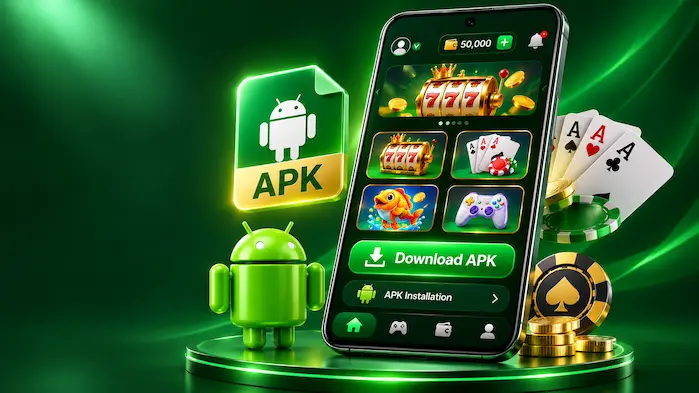
Account access is another part of the mobile experience. The application connects users with supported profile and wallet tools. These sections help users manage their account activity from an Android device.
Y999 ICD 10 Game APK Features
The Android version brings the platform’s main sections to mobile users. Its features focus on game access, account tools, and navigation. The following sections explain the main functions.
Simple and User-Friendly Interface
The interface groups the main features into clear sections. Users can find the game library and account area through the available navigation tools. This layout makes common tasks easier to manage.
Multiple Casino Game Categories
The game library includes different styles of casino games. Users can explore slots, cards, fish games, and mini games. Other available categories depend on the titles offered within the platform.
Each game follows its own rules and controls. Users should read the instructions before starting. This helps them understand the format and conditions of each title.
Mobile Gaming Experience
The application brings its main sections to compatible Android devices. Users can access supported games through the mobile interface. Screen size and device performance can affect how the application runs.
Built-In Wallet Features
The wallet section connects users with supported payment functions. It provides access to the balance and transaction details shown in an account. Users should review all payment information before confirming a request.
Account Management
The account section gives users access to their profile tools. It connects account details with the platform’s available services. Users should keep their login information private.
Bonuses and Rewards
The rewards section displays promotional offers available to eligible accounts. Each offer has its own rules and conditions. Users should read the terms before claiming a reward.
Y999 ICD 10 Game APK Information
Check the application details before downloading the installation file. The following table shows the main information users should review.
| App Name | Y999 ICD 10 |
|---|---|
| Category | Cards, Game |
| App Size | 7.04MB |
| Latest Version | v1.3 |
| Required OS | Android 5.0+ |
| Last Update | 10-April-2026 |
| Downloads | 1.5Million+ |
| Rating Count | 500K+ |
| Language | Urdu, English |
| Licence Type | Free 0$ |
How to Download Y999 ICD 10 Game APK
The download process starts with checking the correct installation file. Users should review the file details before saving it to their devices. Follow these steps to prepare the APK for installation.
Always check the source before installing an APK. Avoid files from unknown pages or untrusted links. A safe download starts with a valid and complete installation package. For More Information visit our main Y999 ICD 10 homepage.
How to Install Y999 ICD 10 Game APK on Android
After downloading the Y999 ICD 10 Game, check the file before opening it. Android may ask for permission to install applications from that source. Follow the steps below to complete the process.
Step 1: Download the APK File
Save the installation package to your Android device. Wait until the download finishes. An incomplete file can cause installation errors.
Step 2: Open the Downloaded File
Open your device’s file manager. Find the APK in the Downloads folder and tap it. Android will display the installation screen.
Step 3: Review Installation Permissions
Your device may ask you to allow installation from the selected source. Open the relevant settings and review the permission. Only allow installation when you trust the file and its source.
Step 4: Complete the Installation
Return to the APK file and select the install option. Wait for Android to complete the process. Keep the device active during installation.
Step 5: Open the Application
Once installation finishes, open the application. Review its available sections and follow the account access process. Use the platform only if you meet its age and local legal requirements.
Y999 ICD 10 Game Android Requirements
Android compatibility depends on the application version and device specifications. Check the release details before installing the package.
Android Version
The application must support the Android version on your device. Check the minimum system requirement listed with the APK. An older operating system can cause installation or performance problems.
Available Storage
Your device needs enough free space for the installation file and application. Remove unused files if storage is low. Keep extra space available for future updates.
Internet Connection
Online gaming features need an active internet connection. A stable network helps load the application and its available content. Weak signals can cause delays or connection errors.
Device Compatibility
Device support depends on hardware and software requirements. Check the application details before installation. An unsupported device may not run every feature as intended.
How to Update Y999 ICD 10 Game APK
Y999 ICD 10 App updates can include changes to the interface, performance, or supported features. Users should check the release details before installing a new version.
Follow these steps:
Avoid installing APK files from unknown sources. Also, check your account access before making changes to the installed application. Keep your login details safe during the update process.
Common Y999 ICD 10 APK Problems and Solutions
Some problems can affect downloading, installation, and app access. Most checks start with the APK file, device settings, or internet connection.
APK File Does Not Download
A weak connection can interrupt the download. Check your internet access and try again. Make sure your device has enough free storage.
App Installation Failed
An installation error can occur when the APK is incomplete or the device does not meet the requirements. Check the file size and Android version. Download a complete package from a trusted source.
Application Does Not Open
Close the application and open it again. Check whether your device meets the system requirements. You can also restart your phone and try again.
Game Loading Problems
Online games need a stable internet connection. Check your network before opening the game again. Close other apps if your device has limited memory.
App Compatibility Issues
An unsupported Android version can cause problems to Y999 ICD 10 Apk. Review the system requirements for the installed release. Update your device when a supported system update is available.
Pros & Cons
The Android version offers several useful functions in one mobile interface. However, users should also understand its limits before installation.
Pros
Cons
Frequently Asked Questions
Conclusion
Y999 ICD 10 Game APK brings the platform’s mobile gaming features to compatible Android devices. It connects game categories, account tools, and supported wallet functions through one interface. Users can explore the available games and manage their account from their phones.
The installation process starts with a valid APK file and a supported Android device. Check the version, file size, and system requirements before downloading. Keep your application updated and protect your account details. Real-money gaming carries financial risks, so follow local laws and age limits before taking part.